Find Old Patreon Posts: Search, Filters and Collections (2026)
Find older Patreon posts with a focused search, sensible filters and a private reading list. Separate missing results from access problems before downloading.
To find old Patreon posts, start on the relevant creator's page instead of scrolling your general feed. Search a distinctive topic, reduce unnecessary filters, and compare the result with the creator's collections. If you find the page but cannot open its content, investigate access separately; a download tool cannot solve a locked post.
This guide gives you a practical retrieval routine and a small private reading list. It helps you locate the right lesson or episode before deciding whether you need an offline copy.
Start with a useful clue
Write down what you actually remember: the creator, series, approximate month, guest, project or unusual phrase. Distinguish a remembered title from a description you invented afterward. Searching a long sentence that never appeared in the post can be less useful than testing one specific word.
For example, imagine looking for a drawing lesson about reflective metal. Begin with “metal”, then try “reflection” or the project name separately. These are suggested search experiments, not special Patreon search operators. Do not assume quotation marks, wildcards or advanced syntax work.
Also distinguish the creator's page from a similarly named account. Use a link from your membership information or an earlier message where possible. A search conducted on the wrong page can look convincingly empty.
Search narrowly, then remove constraints
Patreon's official post discovery guide documents keyword search, media and date filters, and chronological sorting on the creator's Posts tab. In the app, search from the creator page.
Use those controls as a sequence of small experiments:
- Try a distinctive word without extra restrictions.
- Add a media filter only when you remember the format confidently.
- Narrow the date when you have a reliable clue.
- Remove one restriction if the result disappears.
- Open a promising post and confirm its subject.
Keep your own brief note of the combinations you tried. Otherwise, a second search session can repeat the same dead end. A useful note might say “metal, all media, no date restriction; two possible lessons”.
Do not equate an empty filtered view with an empty archive. A remembered “video lesson” might have been introduced in a text announcement. Search for the subject first, then check what the result actually contains.
Use collections as a second route
Patreon's explanation of collections describes creator-arranged groups such as series or podcast seasons. They provide another route into older work when you do not remember the individual title.
Treat a collection as a suggested starting point. Read its description, open plausible entries, and check whether the creator identifies a prerequisite or sequence. Do not infer a complete course syllabus from a collection name alone.
| What you remember | Suggested starting point | Check afterward |
|---|---|---|
| A distinctive subject | Short keyword search | Actual post topic |
| A named series | Relevant collection | Entry and sequence |
| An approximate month | Date filter | Correct edition |
| A recently opened item | Your app Library | Correct creator |
You can combine approaches. Locate a series through its collection, then search the creator page for the particular subject. If two posts look alike, compare their dates and descriptions before assuming one replaces the other.
The official app navigation guide identifies recently viewed, recently played and saved posts in Library. That can help when the problem is returning to something you already opened.
Separate discovery from access
Once you have a likely link, record what happens when you open it. “Not in search”, “page opens but is locked” and “page opens but media fails” are different symptoms. Reporting the precise one makes a support request more useful.
Patreon's access troubleshooting guide covers account, payment and tier issues. Check the account and membership involved before buying anything again. A search filter does not grant access.
If the page is available but the file will not save, continue with the relevant video download troubleshooting guide. Avoid repeatedly changing search terms after you have already found the correct page.
For a creator inquiry, give enough context to identify the item: “I am looking for the reflective-metal lesson from around March, possibly part of the materials series. This is the link I found, and it currently shows a locked page.” Do not include passwords, card details or private session information.
Build a small private reading list
Create a note with five fields: creator, post title, direct link, your progress and next action. Add the original date when it helps distinguish revisions. A list of verified links is more useful than a long list of guessed titles.
Start with only the items you intend to read soon. Mark uncertain matches as “check topic” instead of “found”. For a multi-part tutorial, write a short personal note such as “finish the lighting exercise before opening the next lesson”. That records your plan without claiming the platform tracks it for you.
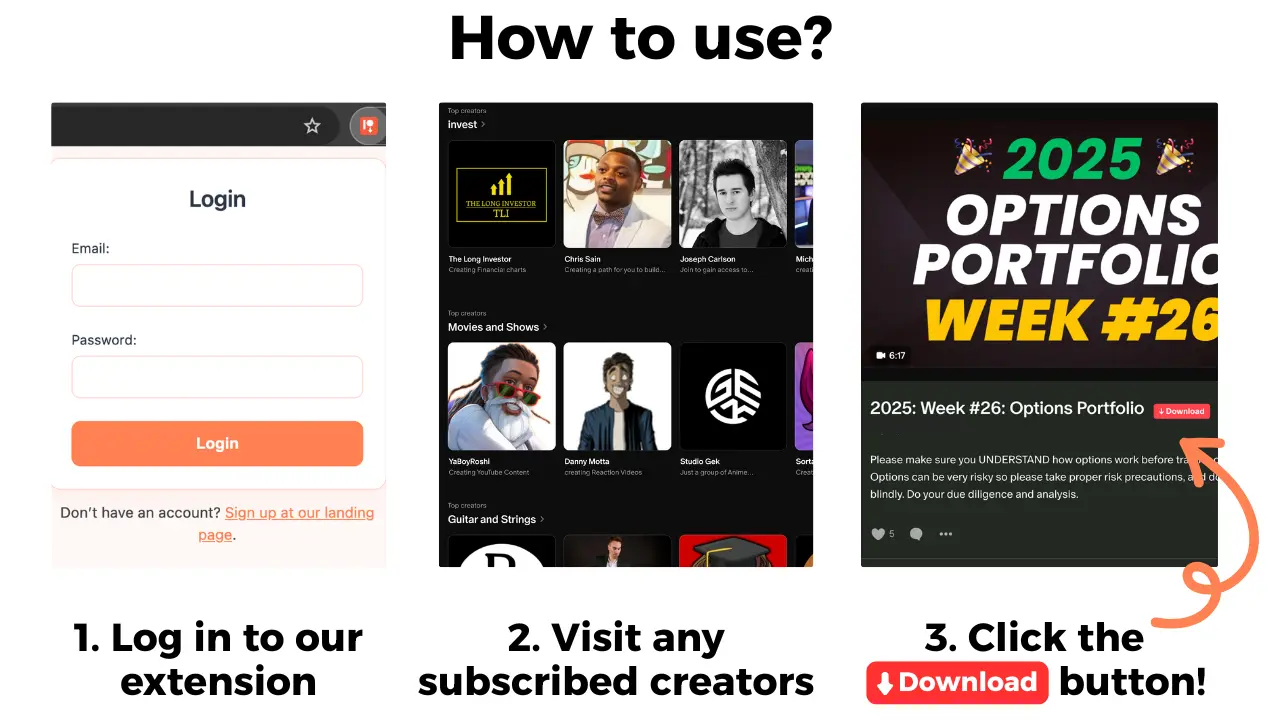
A bookmark or saved entry is not the same thing as a downloaded media file. When you have permission to keep accessible media, Patreon Media Downloader is a Chrome extension that saves supported video as MP4 and audio as MP3. It does not download locked posts, shop products, attachments or embedded YouTube videos.
If you found a post only after missing its announcement, use the Patreon notification troubleshooting routine to check future email and phone alerts.
If you bought the resource separately, check Shop purchases versus membership access before assuming it belongs in your member archive.
If you already have a permitted file, connect its filename with the original link in your note. The Chrome download location guide explains finding local files. Keep this list private rather than turning membership content into a shared archive.
Diagnose gaps without assuming deletion
If a search still fails, change your question from “Why is the search broken?” to “What evidence do I have for this post?” An old email, a series introduction or a reference in another lesson may help you identify a title or date.
Make a short stopping rule: try the strongest topic words, review the likely collection, test any known direct link, then contact the creator. This prevents an hour of scrolling from replacing a clear support request.
Do not promise yourself that every older item is still available. Ask whether the creator moved, renamed or withdrew the specific item; present these as possibilities, not conclusions. Avoid third-party services claiming to recover private posts or requesting your login session.
If a file is already saved but you cannot identify its source, do not download everything again. Compare its name with your existing records first. This article solves discovery; the bulk and ZIP limits guide addresses a separate question about saving many files.
The short version
Use a specific clue, test search constraints individually, and compare collections with direct links. Keep a small private reading list, then handle access or offline playback as separate tasks.