Stop Sharing Your Email With Patreon Creators: A Member Guide
Review Patreon email sharing for existing and future creators, check email-delivered benefits, and keep a record of privacy settings without losing track of alerts.
To stop sharing your email with Patreon creators, open the creator email sharing controls in your privacy settings. Review both the default for future subscriptions and the individual creators you already support, then save. Check any benefits sent directly to your address before making the change, because that delivery route may be affected.
This guide helps you make a deliberate choice and record what you changed. It also explains which settings to inspect when you want fewer messages or different public visibility.
Decide what you want to change
Start with one sentence describing the outcome. You might want to stop sharing your address with future creators, keep sharing with a workshop creator, or reduce post alerts. These goals lead to different controls. Writing the goal down first makes it easier to check whether the finished settings match your intention.
Patreon's email sharing guide documents separate choices for current and future creators. Its notification guidance covers email alerts. Use the labels on your current screen, since account layouts can change.
| Your goal | Place to inspect | Useful confirmation |
|---|---|---|
| Set a default for future subscriptions | Creator email sharing | Future sharing choice after saving |
| Change sharing with a current creator | Individual creator entry | The selected creator's saved choice |
| Reduce Patreon email alerts | Email notifications | Relevant notification preference |
| Change public membership visibility | Membership and activity visibility | The visibility setting you intended |
Public visibility deserves its own decision. Patreon's membership visibility explanation describes controls for what other people can see. If you are reviewing email sharing today, keep a note to inspect public visibility separately rather than assuming one completed task covers both.
For public and community display, use the profile visibility checklist to choose the controls for your account and verify the result.
Check benefits before editing
Make a short private list of the creators you currently support. For each one, note where the benefit actually arrives: a Patreon post, a message inside Patreon, or an email sent directly by the creator. Include the latest example you can identify, such as a workshop link or a reading pack announcement.
Read the tier description and recent delivery instructions. If a benefit depends on your email address, ask the creator which supported alternative exists before changing that entry. There may be no alternative. Decide whether you accept that tradeoff rather than assuming an in-platform copy will automatically appear.
For example, a creator might publish monthly lesson videos on Patreon but send session arrangements directly by email. Record both routes. A video that opens successfully does not establish how next month's session invitation will arrive. Check the benefit you actually rely on.
Use this worksheet without copying private addresses into it:
- Creator and current tier.
- Benefit you want to keep receiving.
- Where the last example arrived.
- Sharing choice you intend to save.
- Date to review delivery again.
Store only the information you need. A creator name, benefit and date are usually enough for this task. Avoid putting private gift links, billing screenshots or full email threads into a shared task board.
Change current and future sharing
- Sign into the account that holds your memberships on desktop and open Settings or Personal settings.
- Find Privacy, then the creator email sharing section and its editing control.
- Review the default for new creators and each current creator you want to change.
- Save, then reopen the section to check the choices persisted.
- Add the date and the intended follow-up to your worksheet.
The account's wording may differ depending on whether you also have a creator profile. Follow the privacy section in your own account. If the expected creator is absent, first check your account and membership list. Avoid repeatedly editing a different creator just because its name looks similar.
Set aside time to inspect both groups of choices. Turning off future sharing alone leaves you with a separate current-creator review. If you want an exception for a particular creator, make it explicit in the individual entry and verify it afterward.
Patreon describes a buffer period before an address stops being visible after a sharing change. The help page does not provide a guaranteed duration for your account. Record the saved preference as confirmed, and any downstream delivery outcome as still awaiting observation. Saving a setting is a useful checkpoint, but it does not prove that a creator has removed every copy previously received.
Keep useful alerts and content within reach
After saving, return to your ordinary routine. Open the next relevant post directly and record whether any expected benefit arrived through its usual route. For a missing Patreon alert, use the email and app notification checklist. Avoid changing mailbox filters and privacy settings together if you want to understand the effect of either change.
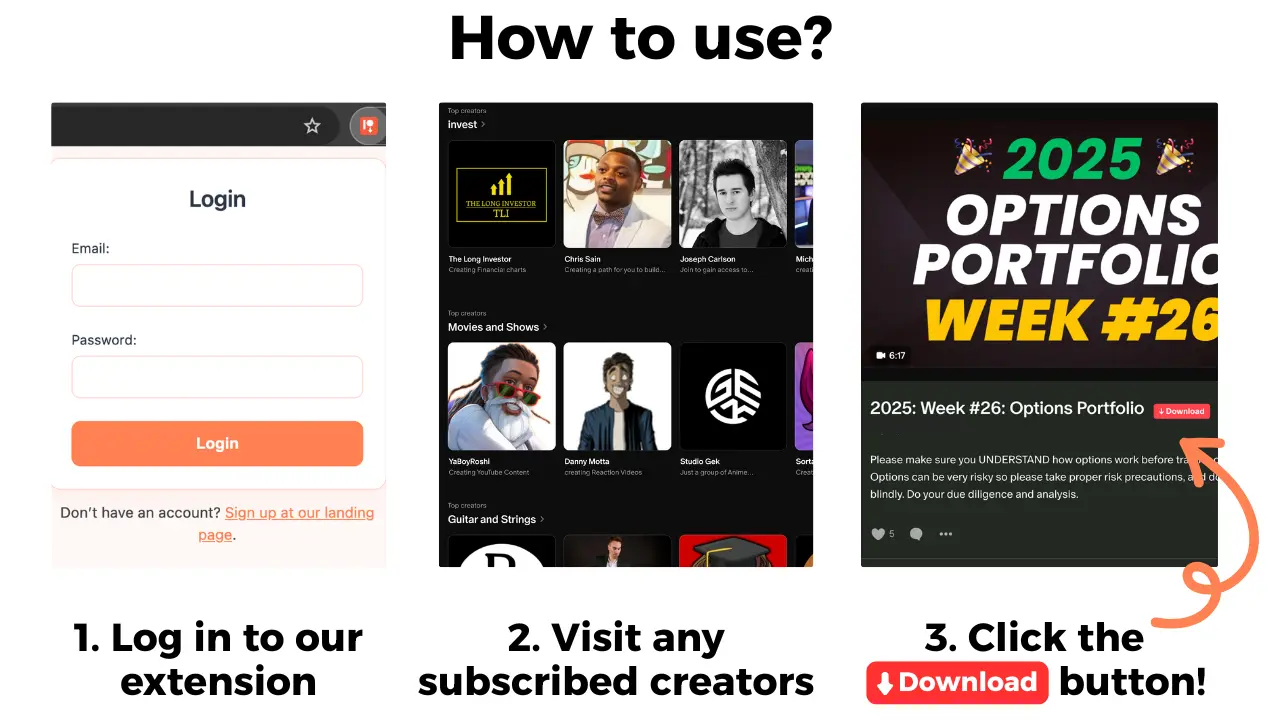
If you keep an offline copy of permitted lessons, Patreon Media Downloader saves supported accessible video posts as MP4 and audio posts as MP3 in Chrome. It cannot manage email sharing or restore a benefit delivered elsewhere. Confirm the creator's permission and the post's accessibility before saving.
A private list of post links can also help you return to your materials. Use the older-post discovery guide if finding the lesson is the difficulty. Keep the privacy review date beside your own task, not inside a publicly shared copy of paid material.
If something is missing afterward, send a narrow question through the creator's established support route. State the specific benefit, expected date and relevant setting change. Do not send passwords or login codes. Ask about the supported delivery route rather than requesting that they troubleshoot your whole inbox.
Common questions
Does the future-creators toggle change existing subscriptions?
No. Review the individual creator entries as well as the default for future subscriptions.
Will this stop Patreon post notifications?
Email sharing and notification preferences are separate controls. Check notification settings for alerts.
Does the address disappear immediately?
Patreon describes a buffer period for benefit fulfilment. Do not treat saving a choice as proof of instant removal.
Can the downloader change email privacy?
No. It saves supported accessible Patreon video and audio as MP4 and MP3. Manage privacy in Patreon settings.
The short version
Check how your benefits arrive, review current and future creator sharing, and save the choices deliberately. Reopen the settings to confirm them, then observe the delivery you still need without assuming an immediate result.