Patreon Gift Membership: What Happens to Your Subscription?
Redeeming a Patreon gift while already subscribed? Check which tier applies, when your paid time resumes, and what to verify before the gift ends.
If you redeem a Patreon gift for a creator you already pay, Patreon can apply the gifted tier immediately and pause the remaining time on your paid membership. When the gift ends, the original membership can resume with the paid time that was left. Check the tier and the next billing date in your account, especially if the gift covers a different tier.
Use this guide to separate three things that are easy to confuse: the deadline to claim the link, the end of gifted access, and the next charge on your own subscription.
Check what the gift changes
Read the creator name, gifted tier and term before claiming. Then compare them with the membership page for that creator. A similar tier name on another creator’s page has no bearing on the subscription you are checking. If you follow several creators, keep a separate record for each one.
Patreon describes the transition in its guide to gifts from creators and its guide to gifts from other fans. Use the guide that matches who sent the gift. A separately purchased Shop item is a different kind of access. If that is what you received, see the guide to Shop purchases and memberships.
| Your starting point | During the gift | What to check afterward |
|---|---|---|
| Paid tier, same gifted tier | Gift covers the tier while paid time is paused | When remaining paid time and billing resume |
| Paid tier, higher gifted tier | Gift grants the higher tier | Which extra benefits end at expiry |
| Paid tier, lower gifted tier | The lower gifted tier applies | Whether a higher tier post you need is available now |
| No existing paid subscription | Eligible gifted benefits last for the term | Any paid continuation you explicitly selected |
If you are planning a viewing session, check the actual post as well as the tier description. A course collection can contain several posts, and access to one lesson does not prove access to the rest. Pick a representative lesson you could open before the change and note what you expect after claiming.
If the creator has paused billing for everyone, use the creator billing pause checklist to distinguish that break from your gift period.
Claim the gift on the right account
- Open the original gift link in a desktop or mobile browser and verify the creator, tier and term.
- Record your existing tier and the next date shown in your membership settings.
- Confirm that you are signed in to the Patreon account that holds that membership.
- Follow the claim prompts and wait for confirmation before trying the link again.
- Check the gift expiry in Memberships and open the representative post.
Patreon documents web redemption. If a link opens inside the mobile app, try opening it in your browser. If it fails there too, check whether you already have an active gift for the same creator. Patreon documents that a second gift for the same creator cannot be activated on top of the existing gift. Do not cancel your current gift just to test an error, since cancellation can remove gifted benefits immediately.
If the confirmation appears but the post remains unavailable, record the tier shown and compare the post with the creator's stated benefits. Keep the gift link private. A screenshot of the tier and confirmation with the link and any billing details removed is enough to explain the problem when you contact support.
Make a three-date record
Write down the claim deadline, the end of the gifted term and the next charge shown for any paid membership. A fan gift can expire unclaimed, so check the date even if you plan to wait for a more convenient time. Once claimed, use the expiry shown in Memberships rather than counting forward from the day someone sent you the message.
For example, suppose you have twelve paid days left when you claim a higher tier gift. During the gift you can use the higher tier. When the gift ends, if you made no other change, the original tier resumes with those twelve paid days. The next charge belongs to the paid subscription. Check the date shown after the change instead of copying the old date into a reminder.
If your usual tier is higher than the gift, reverse the access check. A post you need this week might sit above the gift tier. Read the tier descriptions and check the gift deadline before deciding when to claim. If you already claimed it, verify the post in your account before assuming it will be available for a later session.
Plan for content you can access now
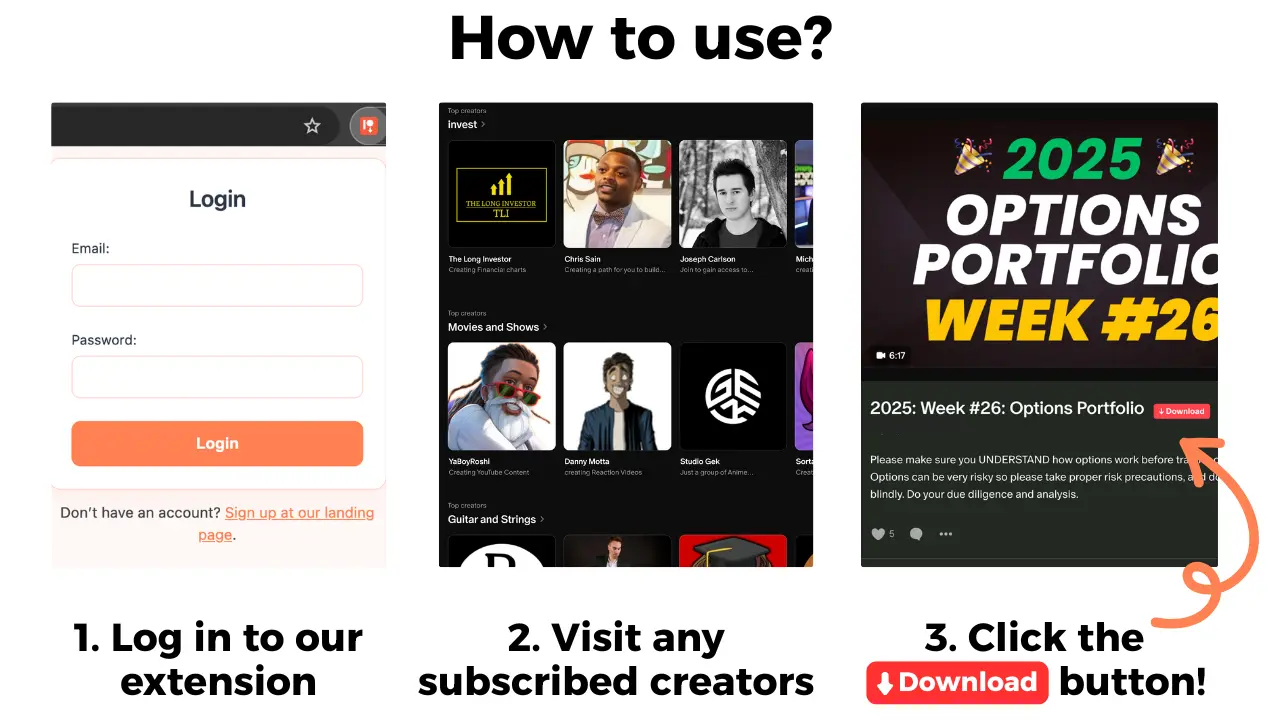
Save the links to the posts you want to revisit. For eligible video or audio posts you can already open, Patreon Media Downloader can save supported video as MP4 and audio as MP3 in Chrome. Save only where you have permission. The extension cannot recover a locked post, download Shop products or attachments, or keep your membership active.
When the gift ends, open the original post again before troubleshooting playback. A locked post after a tier change is a membership question. A file you already have that fails to play is a separate playback issue.
Common questions
Do I have to cancel my paid subscription to claim a gift?
No. For the same creator, Patreon documents a pause in the existing paid period while the gift applies.
What if the gift is for a lower tier?
Compare the benefits before claiming. The gifted tier applies during the gift, so check access to any posts you rely on.
Will the gift renew automatically?
The gift itself is fixed term. A pre-existing paid membership can resume, and any paid continuation you explicitly choose should be checked separately.
Can the extension keep a gift membership active?
No. It can save supported video or audio from posts you can already open as MP4 or MP3. It cannot change your membership.
The short version
Check the gifted tier, claim on the correct account and record both the gift end and the next paid billing date. Recheck your original benefits and the posts you need when the gift expires.
If your current tier includes a live session, use the workshop participation and replay checklist before planning your viewing time.